
CLASSES AND OBJECTS IN JAVA
Now that you have a basic understanding of the core principles behind Object-Oriented Programming (OOP) in Java, it’s time to delve deeper into the building blocks that make OOP so powerful: classes and objects. These two concepts are fundamental to creating structured and reusable code in Java.A class is essentially a blueprint or template that defines the properties and behaviors of objects. In other words, a class describes what an object will look like and what it can do, but it doesn’t represent the actual object itself. On the other hand, an object is an instance of a class, an actual entity that you can manipulate in your program.
In this section, we will explore how classes and objects work in Java, looking at their structure, how to create them, and how they interact with each other. You’ll also learn about key concepts such as constructors and the process of initializing objects, which set the foundation for creating effective and maintainable Java programs.
By the end of this section, you will have the knowledge to design your own classes, instantiate objects, and understand how these components form the backbone of object-oriented software. Let's get started!
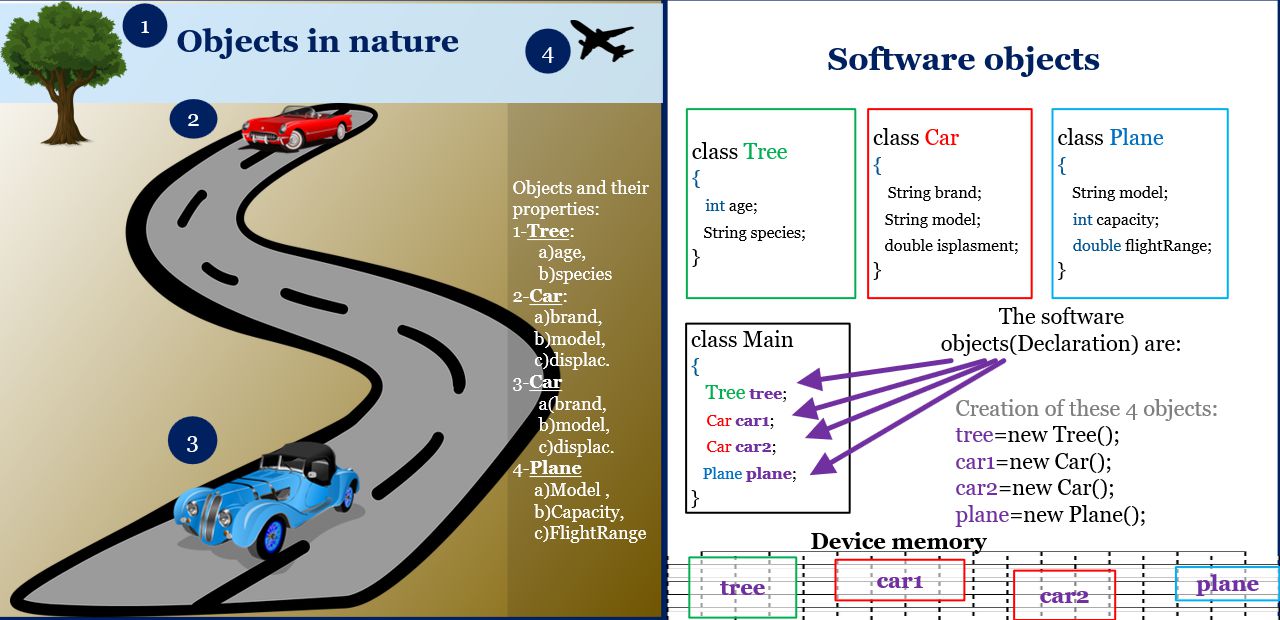
Memory Allocation and Object Creation
In Java, objects are created using the new keyword, which allocates memory for the object on the heap. The syntax is:
type_name data_name = new constructor (parameters_constructor);
For example, to create an object of the Scanner class for reading user input:Scanner reader = new Scanner(System.in);
Example of a Scanner Object java
Scanner reader = new Scanner(System.in);System.out.println("Enter a number:");
int number = reader.nextInt();
System.out.println("You entered: " + number);
In this example, the Scanner object reads an integer from the user input and displays it. This demonstrates both the state (user input) and the behavior (reading and displaying data).
Class methods Scanner
There are some methods in the Scanner class, for example:- nextInt () - this method takes from the standard input the data typed on the keyboard, converts it into an integer.
- nextDouble () - this method takes from the standard input the data typed on the keyboard, converts it into a real number.
- identity (acts as a whole)
- state (has properties that can change)
- Behavior (can do some things and some actions can be done on it)
Software objects have a state. The part of the memory occupied by the software object is used for variables that contain values.
Software objects have behavior. Part of the memory they occupy is spent on storing methods (programs) that allow the facility to "do something." The object does something when one of its methods is executed
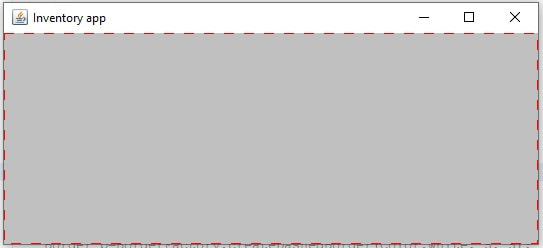
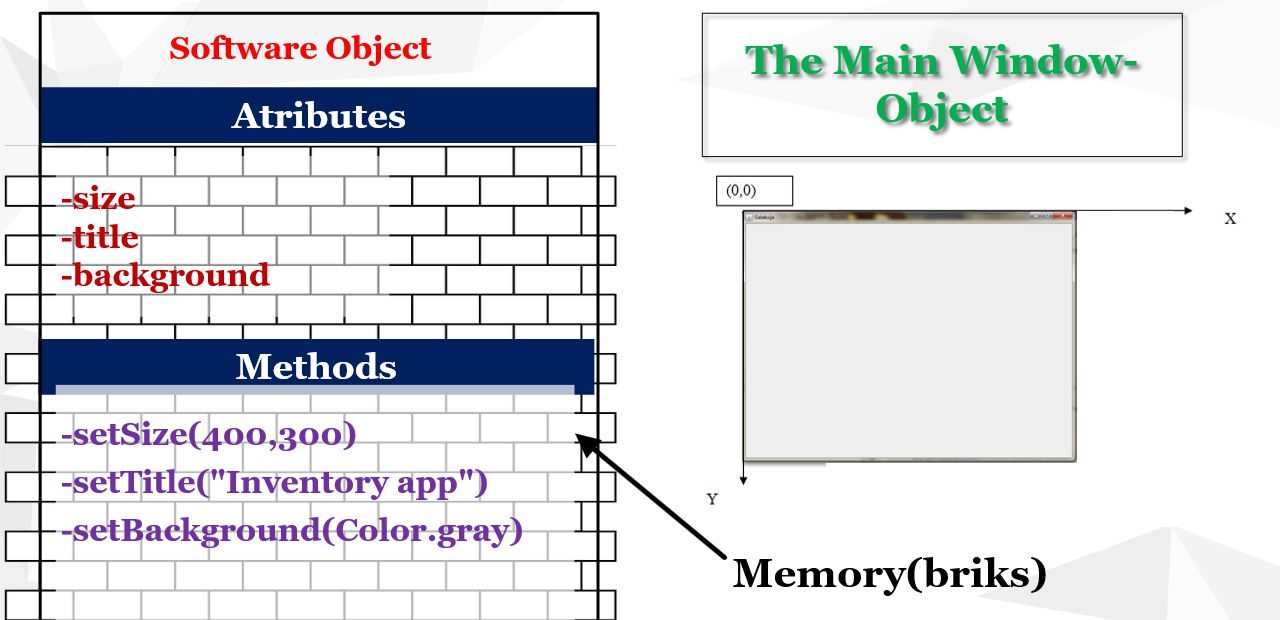
Assuming that for an object, we take the initial dialog window from the displayed application
- The tiles in the image represent the bytes in the memory that the object occupies.
- This object has some atributes(variables defined in the class), the size of the Dialog(width * height), and the title, as well as some methods that control its behavior
- The software object consists of variables and methods
Classes and objects on the example of points in the plane:
Task: Create 3 objects representing three points in level A, B, C. Move point A to the new A1 position.§Point the coordinates of the points after the move. Data points are given in the picture.
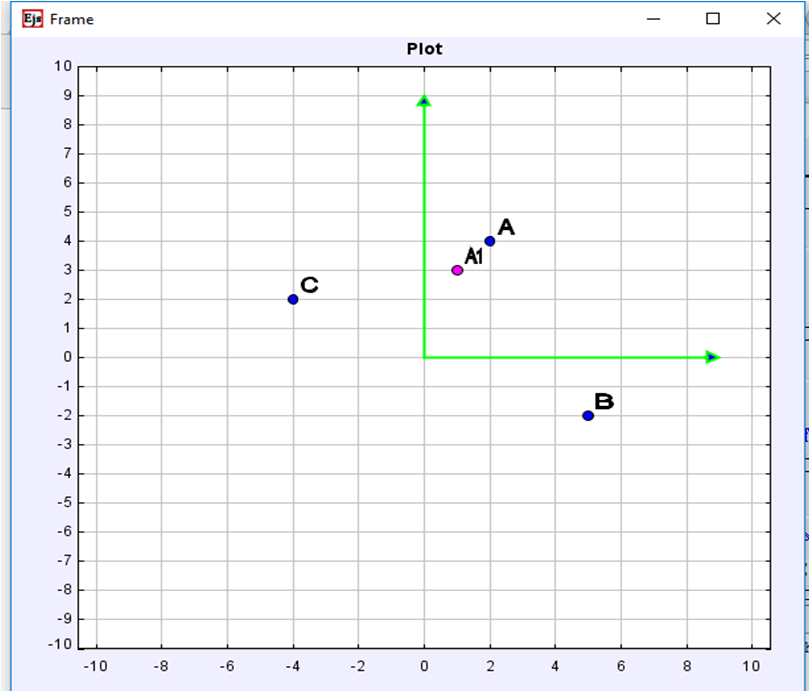
Figure 4: Points in the plane
|
A(2,4) B(5,-2) C(-4,2) A1(1,3) |
The status of point A will change during the program, but not the properties.
To create objects, we first need to create a class that will describe them. Class we will call Tacka. In it we will list the common attributes x and y that will have all 3 objects.
Class Point

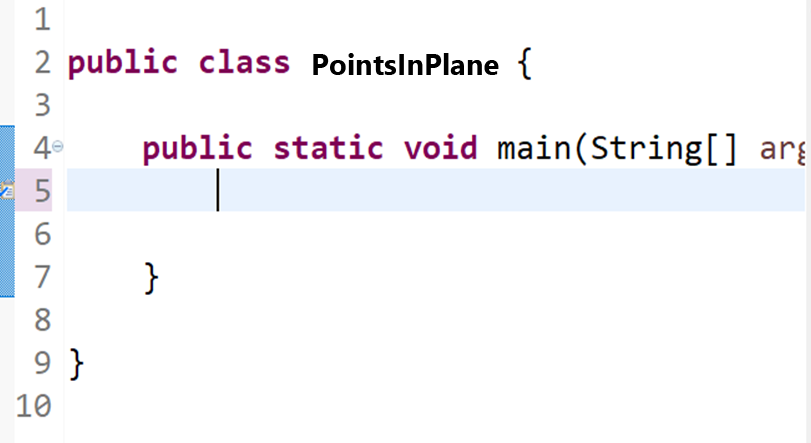
Figure 6: Points in Plane-main class
|
Create the main class and position it at the beginning of the main method |
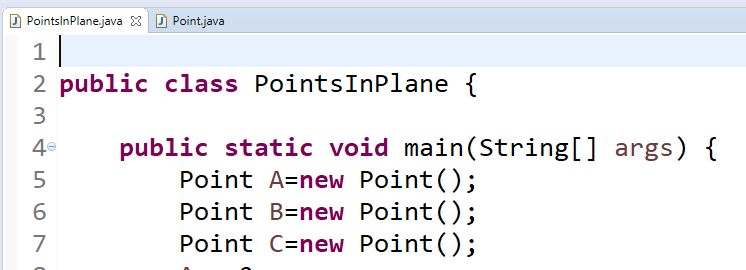
Figure 7: Points in the main class 2
|
Let's create all three objects, i.e. reserve memory for them using the Tacka class as a description |
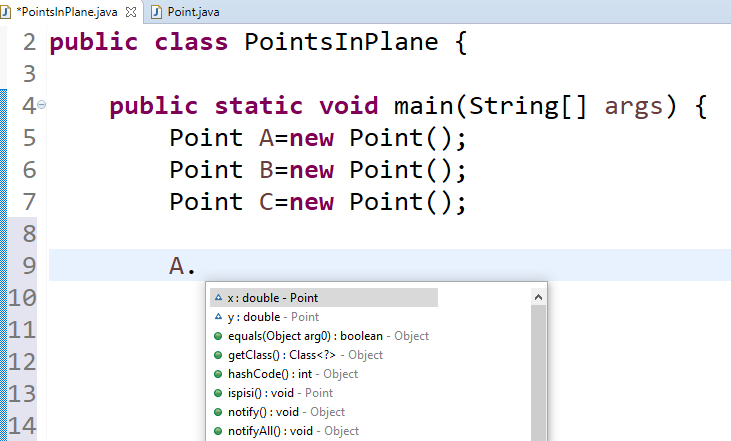
Figure 8: Points in the main class 3
|
To get to the properties of created objects, we use operator "." In the list that opened, we see the features and methods described by the Tacka class. Here we see some inherited methods, we will talk about inheritance later |
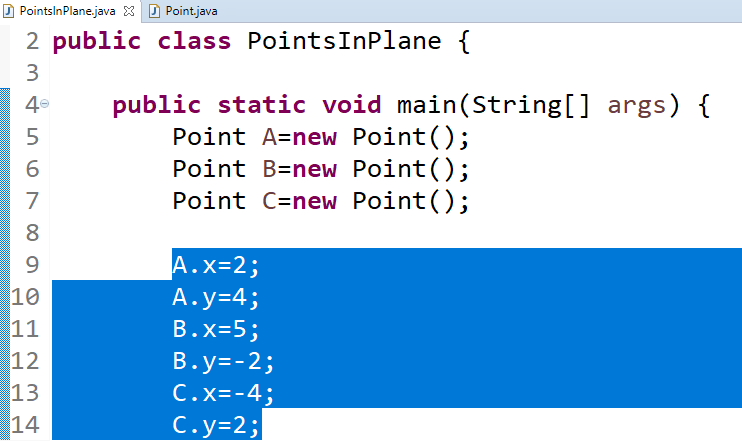
Figure 9: Points in the main class 4
|
Now we will assign all the coordinates in the way shown in the picture on the left. |
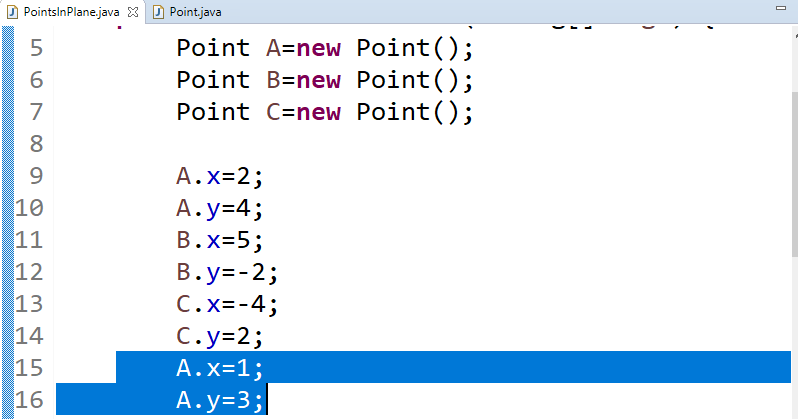
Figure 10: Points in the main class 5
|
In order to move point A to the new position, we again set new values x and y for object A |
| Finally we present the coordinates of the points: |
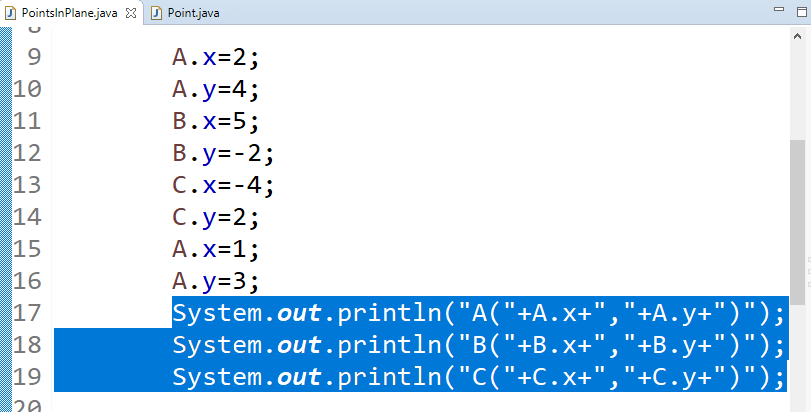
Figure 11: Points in the main class 6
|
File:Point.java
packagepointsintheplane;

public classPoint {
// Attributes of the class
doublex;
doubley;

// Constructor
publicPoint() {
/* Empty constructor */

      }

// Constructor with parameters
publicPoint(doublex, doubley) {

        this.x = x;

        this.y = y;

      }

}
File:PointsInThePlane.java
packagepointsintheplane;

public classPointsInThePlane {
/**
 * @param args the command line arguments
 */
public static voidmain(String[]args) {
// Define point A without initial coordinates
PointA = newPoint();

// Define and initialize point B
PointB = newPoint();

// Define and initialize point C
PointC = newPoint();

// Set coordinates for point A

            A.x = 2;

            A.y = 4;

// Set coordinates for point B

            B.x = 5;

            B.y = -2;

// Set coordinates for point C

            C.x = -4;

            C.y = 2;

// Move point A to a new position

            A.x = 1;

            A.y = 3;

// Print the coordinates of the points

            System.out.println("Coordinates of point A are " + A.x + ", " + A.y);
        System.out.println("Coordinates of point B are " + B.x + ", " + B.y);
        System.out.println("Coordinates of point C are " + C.x + ", " + C.y);
    }

}
Explanation
In this Java example, two classes are used to represent points in the plane. The first class, Point, defines the attributes x and y along with two constructors: a default constructor and a parameterized constructor.
The second class, PointsInThePlane, contains the main method which demonstrates the following:
- A point
Ais created and later moved to a new position by updating its coordinates. - Points
BandCare also created and initialized with specific coordinates. - The coordinates of each point are printed to the console using
System.out.println.
This example simulates the process of moving a point in the plane without a graphical component, focusing solely on the manipulation of object attributes and output of their values.
Example: Geometric Shapes
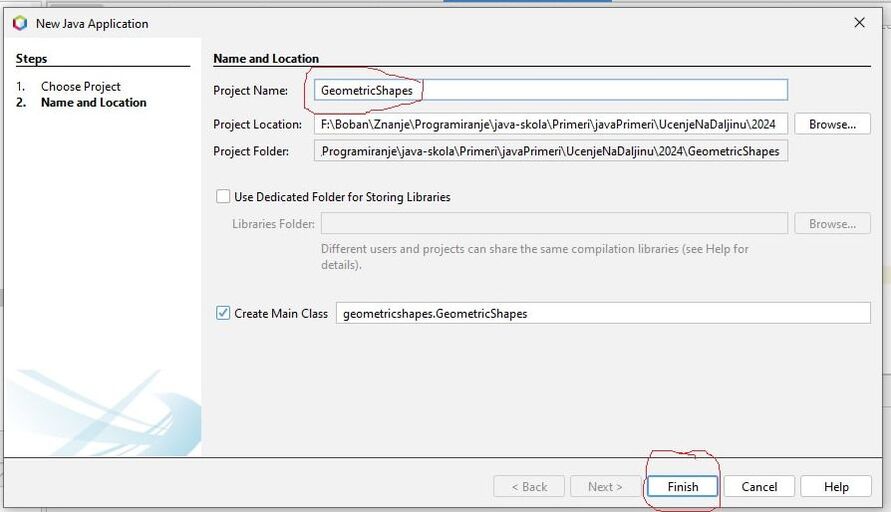
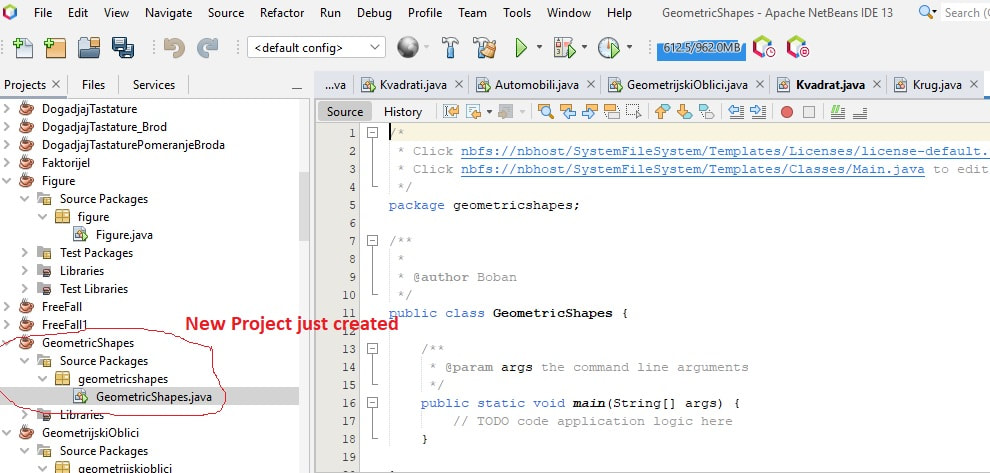
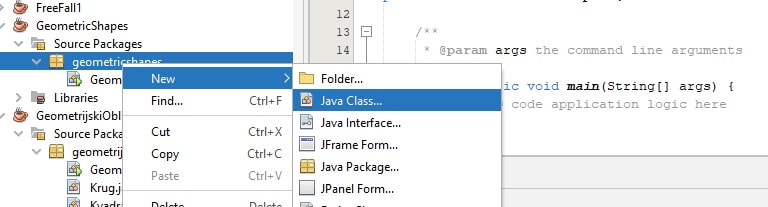
Task: Create objects, for two squares and one circle. enter the sides of the square and the radius of the circle and calculate their areas.Solution:Given that two objects that represent squares have the same properties: side a and surface P, we can say that they belong to the same class, the class that describes any square. We can name this class eg Square or Square_Description, and that "description" will apply to any square.
On the other hand, an object that represents a circle does not have the same properties as a square, therefore, it belongs to another class that we can call, for example, Circle or Description_Circle. There is also that "main" class, from which the program is started and which has the main method in it. Let that class be called the same as the project: GeometricShapes. Within this class, objects are created and the flow of the entire program is controlled. Classes are created as follows. The Square class has square attributes: a(the length of the sides of the square), P(area) and an empty constructor.
In the next lesson, we will talk about methods, as constituent parts of classes and class constructors: Methods and objectsThe Square class is shown below:
import java.util.Math;
public class Square
{
double a; //A square page as a field or class attribute
double P; //The area of a square as a field or class attribute
//Empty class constructor
public Square() {
}
import java.util.Math;
public class Circle
{
double r; //Circle radius as a field or class attribute
double P; //The area of a circle as a field or class attribute
//Empty class constructor
public Circle() {
}
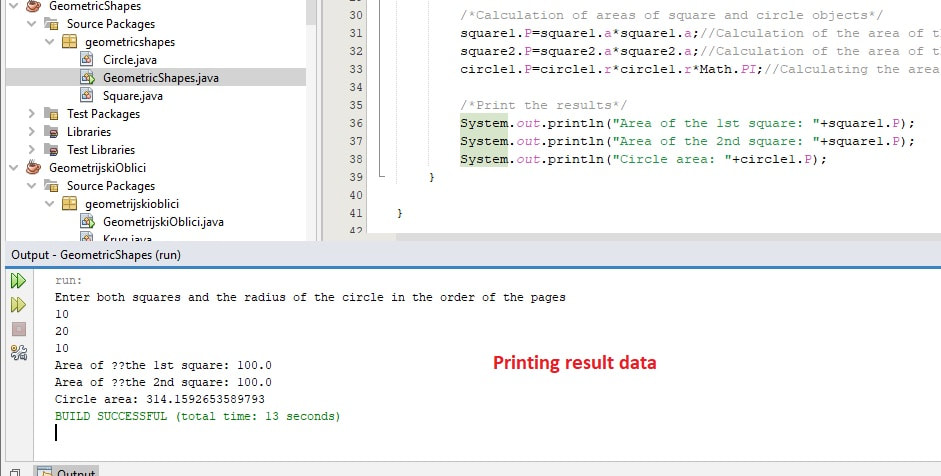
package geometricshapes;

import java.util.Math;
import java.util.Scanner;
public classGeometricShapes

{
publicstaticvoidmain(String[] args)

  {
Scanner scanner = newScanner(System.in); // An object is created to enter the data
Square square1 = newSquare(); // The object of the first square is created
Square square2 = newSquare(); // A second square object is created
Circle circle1 = newCircle(); // An object of class Circle is created

/* Data entry */
System.out.println("Enter both squares and the radius of the circle in the order given");

        square1.a = scanner.nextDouble(); // Reads the side length of the first square

        square2.a = scanner.nextDouble(); // Reads the side length of the second square

        circle1.r = scanner.nextDouble(); // Reads the radius of the circle

/* Calculation of areas of square and circle objects */

        square1.P = square1.a * square1.a; // Calculates the area of the 1st square

        square2.P = square2.a * square2.a; // Calculates the area of the 2nd square

        circle1.P = circle1.r * circle1.r * Math.PI; // Calculates the area of a circle

/* Print the results */
System.out.println("Area of the 1st square: " + square1.P);
System.out.println("Area of the 2nd square: " + square2.P);
System.out.println("Circle area: " + circle1.P);


  }


}
So, for creating objects of the Square class, the constructor is called that, while when creating an object of the Circle class, the constructor is also called "Circle". It is a method that serves to give objects some initial values to their attributes at the time of creation. There will be no more talk about it in the next lesson.
For loading, the Scanner class object is used, which must be imported:
Method Overriding
Method overriding allows a subclass to provide its own implementation of a method that is already defined in its superclass. In Java, methods are virtual by default, so you do not need to use a keyword like virtual as in C++. When a method is overridden, calling it on a superclass reference that points to a subclass object will invoke the subclass’s version of the method.
public classBase {
public voiddisplay() {
System.out.println("Base class display"); // Print message from Base class

    }

}

public classDerivedextendsBase {
public voiddisplay() {
System.out.println("Derived class display"); // Print message from Derived class

    }

}

public classTest {
public static voidmain(String[] args) {
Baseobj = newDerived(); // Create a Derived object referenced by a Base variable
obj.display(); // Calls Derived.display() due to overriding

    }

}
Explanation
In this Java example, the class Base defines a method display() that prints a message indicating that it belongs to the base class. The class Derived extends Base and overrides the display() method to provide its own implementation. Because Java methods are virtual by default, when we create a Base reference to a Derived object and call display(), the overridden method in Derived is executed.
This demonstrates polymorphism in Java, where the method call is dynamically resolved at runtime to the subclass's implementation.
Static Variables and Methods
In Java, static variables and methods belong to the class rather than to any individual object. This means that a static variable is shared by all instances of the class, and a static method can be called without creating an object. In contrast, non-static (instance) variables and methods belong to individual objects.
In the example below, we have a class that contains both a static variable and a regular instance variable. The static variable staticCounter is incremented every time any object calls the increment() method, whereas the instance variable objectCounter is unique for each object. Additionally, the static method displayStatic() shows the current value of the static variable without needing an object.
classPrimer {
static intstaticCounter = 0; // Shared among all instances
intobjectCounter = 0; // Unique to each object

voidincrement() {

        objectCounter++; // Increases only for this object

        staticCounter++; // Increases for all objects

    }

voiddisplay() {

        System.out.println("Object counter: " + objectCounter + ", Static counter: " + staticCounter);

    }

static voiddisplayStatic() {

        System.out.println("Static counter (from static method): " + staticCounter);

    }

}

public classTest {
public static voidmain(String[] args) {

        Primer obj1 = new Primer();

        Primer obj2 = new Primer();


        obj1.increment();

        obj1.increment();

        obj2.increment();


        obj1.display(); // Shows values for obj1

        obj2.display(); // Shows values for obj2


        Primer.displayStatic(); // Calls static method using class name

    }

}
Explanation of the Code
- Static Variable:
staticCounteris declared as a static integer, meaning it is shared among all objects of the classPrimer. Its value changes collectively for all instances. - Instance Variable:
objectCounteris a non-static variable, meaning each object has its own separate value. - Increment Method: The
increment()method increases both the object's instance counter and the shared static counter. - Display Methods: The
display()method prints both counters, while the static methoddisplayStatic()prints only the static counter and can be called without an object. - Usage in main(): Two objects (
obj1andobj2) are created. Their counters are updated separately, but the static counter remains shared. The static method is called via the class namePrimer.displayStatic().
Application of Static Variables and Methods, and Method Overriding in GeometricShape Example
In this extended example, we enhance the basic geometric shape classes by introducing static variables to count the number of objects created and by overriding the toString() method to provide a clear string representation of each object.
The static variables are shared among all instances of the class, while instance variables remain unique to each object.
package geometricshapes;

public classSquare {
doublea; // Side length of the square
doublearea; // Area of the square

static intcount = 0; // Static counter for Square objects

publicSquare(doublea) {

            this.a = a;

            this.area = a * a;
count++; // Increment static counter

      }

@Override
public StringtoString() {

            return "Square [side=" + a + ", area=" + area + "]";

      }

}
package geometricshapes;

public classCircle {
doubler; // Radius of the circle
doublearea; // Area of the circle

static intcount = 0; // Static counter for Circle objects

publicCircle(doubler) {

            this.r = r;

            this.area = r * r * Math.PI;
count++; // Increment static counter

      }

@Override
public StringtoString() {

            return "Circle [radius=" + r + ", area=" + area + "]";

      }

}
package geometricshapes;

importjava.util.Scanner;

public classGeometricShapes {
public static voidmain(String[] args) {
Scanner scanner = newScanner(System.in); // Create a Scanner object for input

Square square1 = newSquare(scanner.nextDouble());
Square square2 = newSquare(scanner.nextDouble());
Circle circle1 = newCircle(scanner.nextDouble());

System.out.println(square1);
System.out.println(square2);
System.out.println(circle1);

System.out.println("Total squares created: " + Square.count);
System.out.println("Total circles created: " + Circle.count);

        scanner.close();
    }

}
Explanation
- Static Variables: The static variable
countin each class (SquareandCircle) is shared among all instances of that class. Each time a new object is created, the constructor increments this counter. - Instance Variables: Instance variables (such as
ainSquareandrinCircle) are unique to each object. - toString Method: The
toString()method is overridden in both classes to provide a string representation of the object, displaying its dimensions and calculated area. - Usage in main(): In the
GeometricShapesclass, objects ofSquareandCircleare created and printed. The static counters show the total number of objects created for each shape.
| Previous |< Understanding Java as an Object-Oriented Language |
Next Objects and methods>| |