
Example 1-Picture Frames-Objects-Solution:
The "PictureFrame" class should look like the picture:
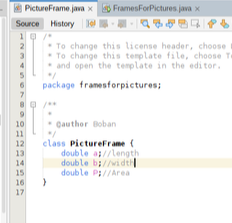
Figure 1: Class PictureFrame-definition
In the main class, you need to create objects, enter the lengths and widths of the frames, calculate the areas and display them on the screen. The main class should look like the following image: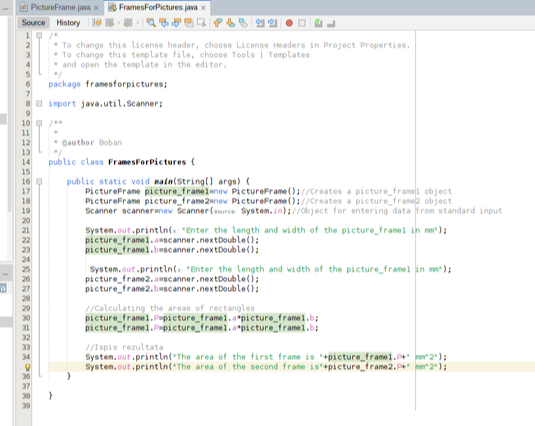
Figure 2: Class FramesForPictures-definition
Return to additional example - classes and objects in JAVA