
ESP32: servo and ultrasonic sensor – automatic barrier and radar
We combine two things we already know: the HC-SR04 ultrasonic sensor measures distance, and the servo motor turns to a given angle. Together they make an automatic barrier (it rises when a car approaches) and a radar that "scans" the surroundings and draws obstacles on the computer screen.
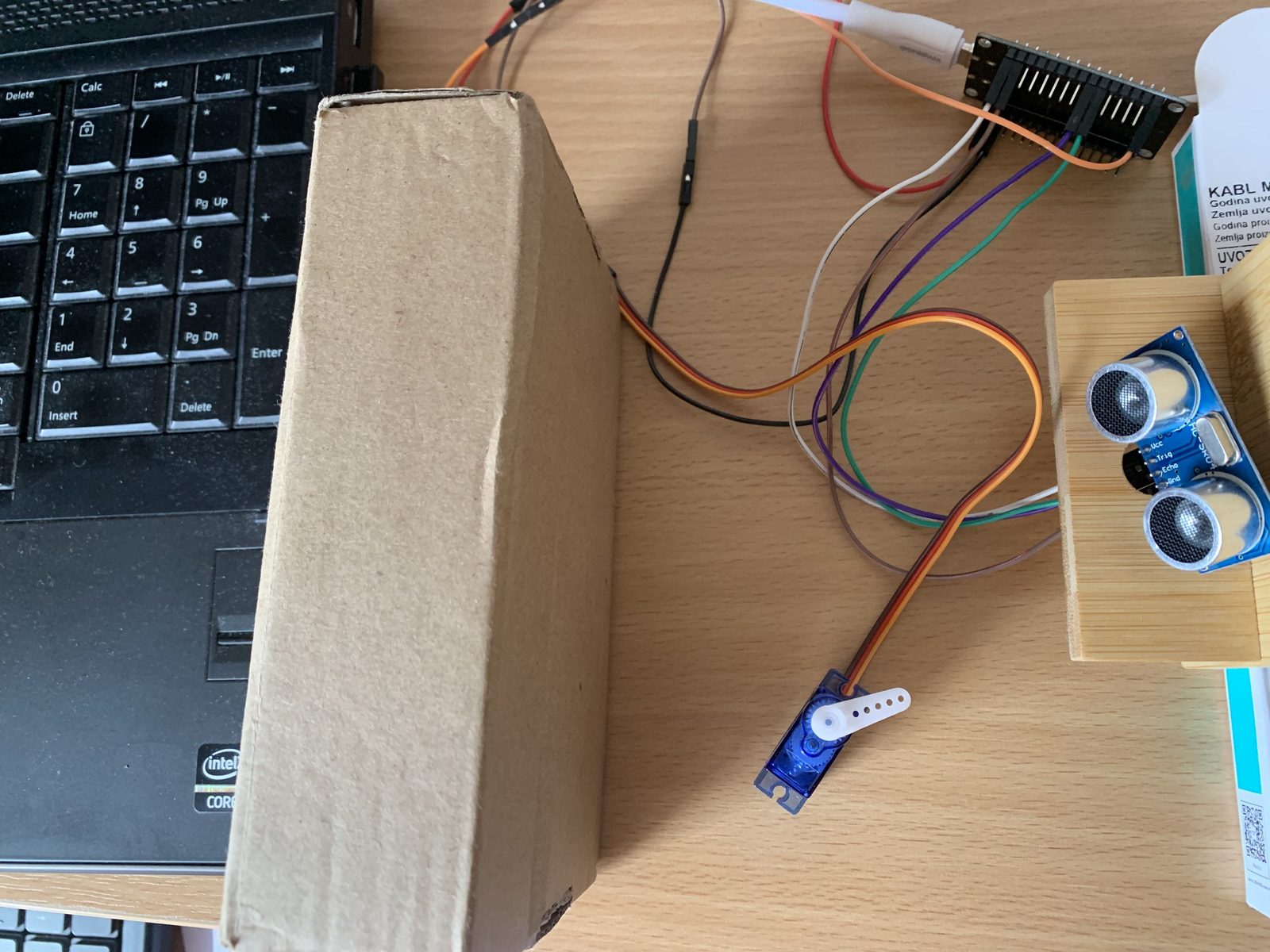
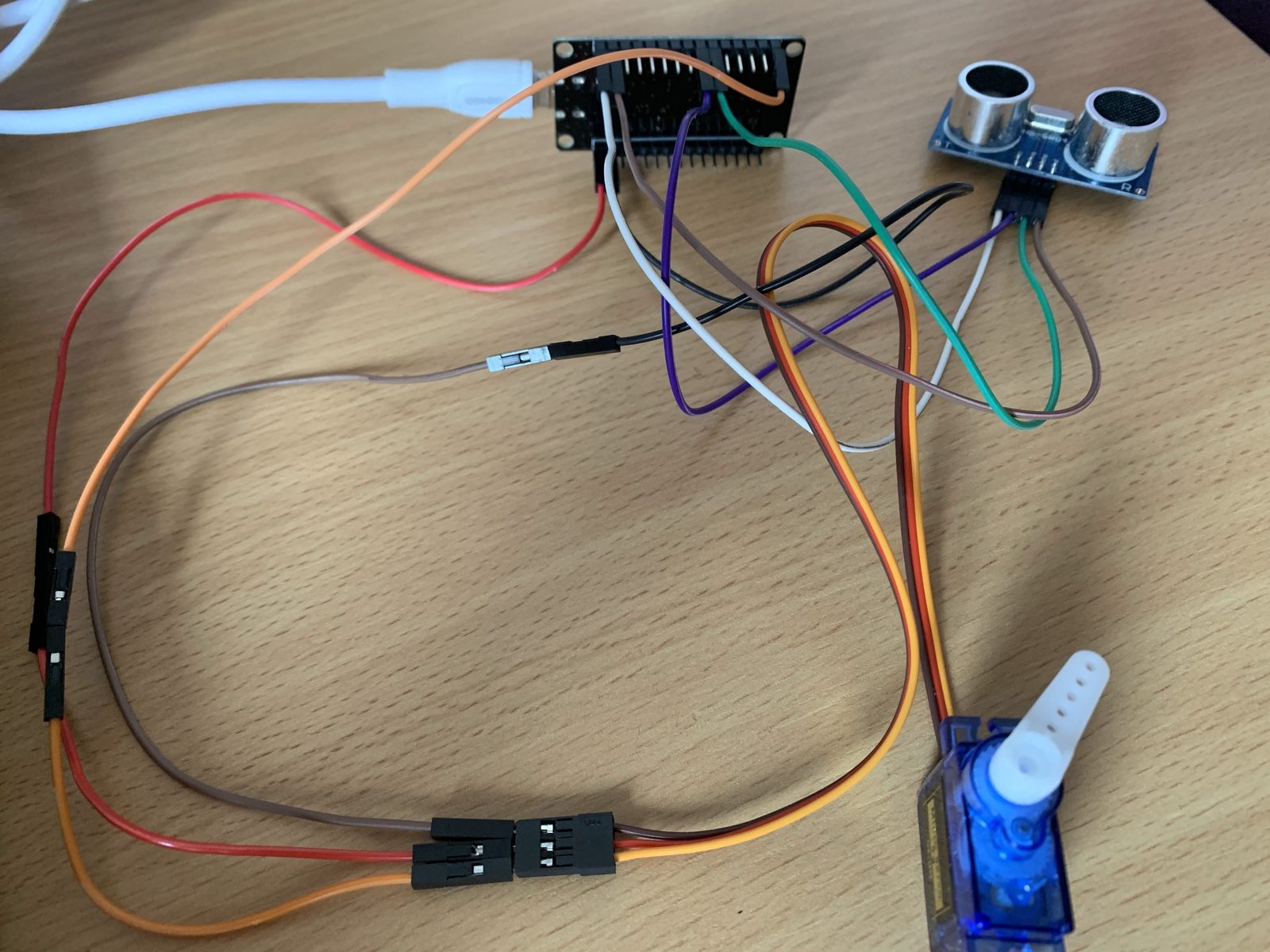
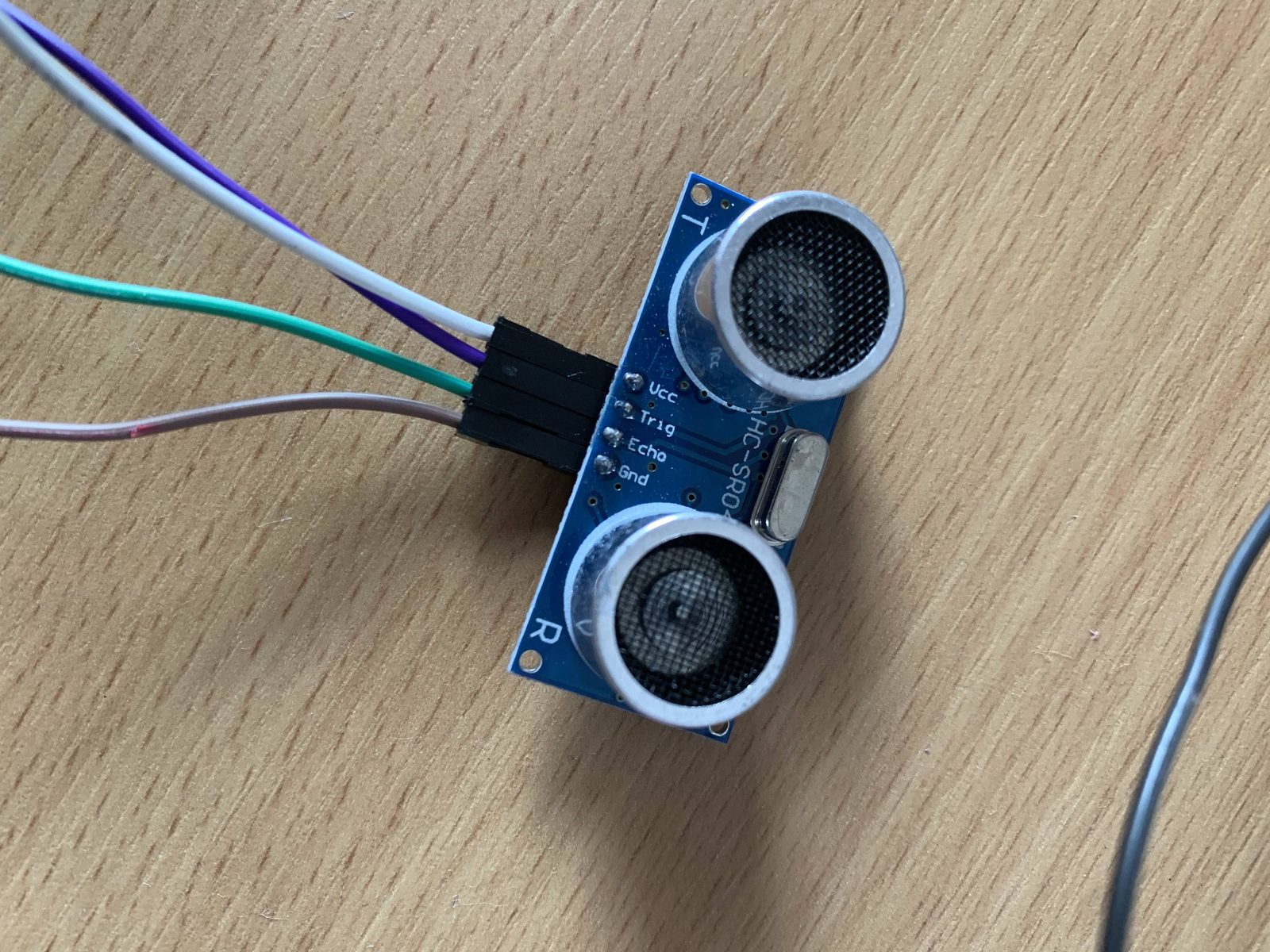
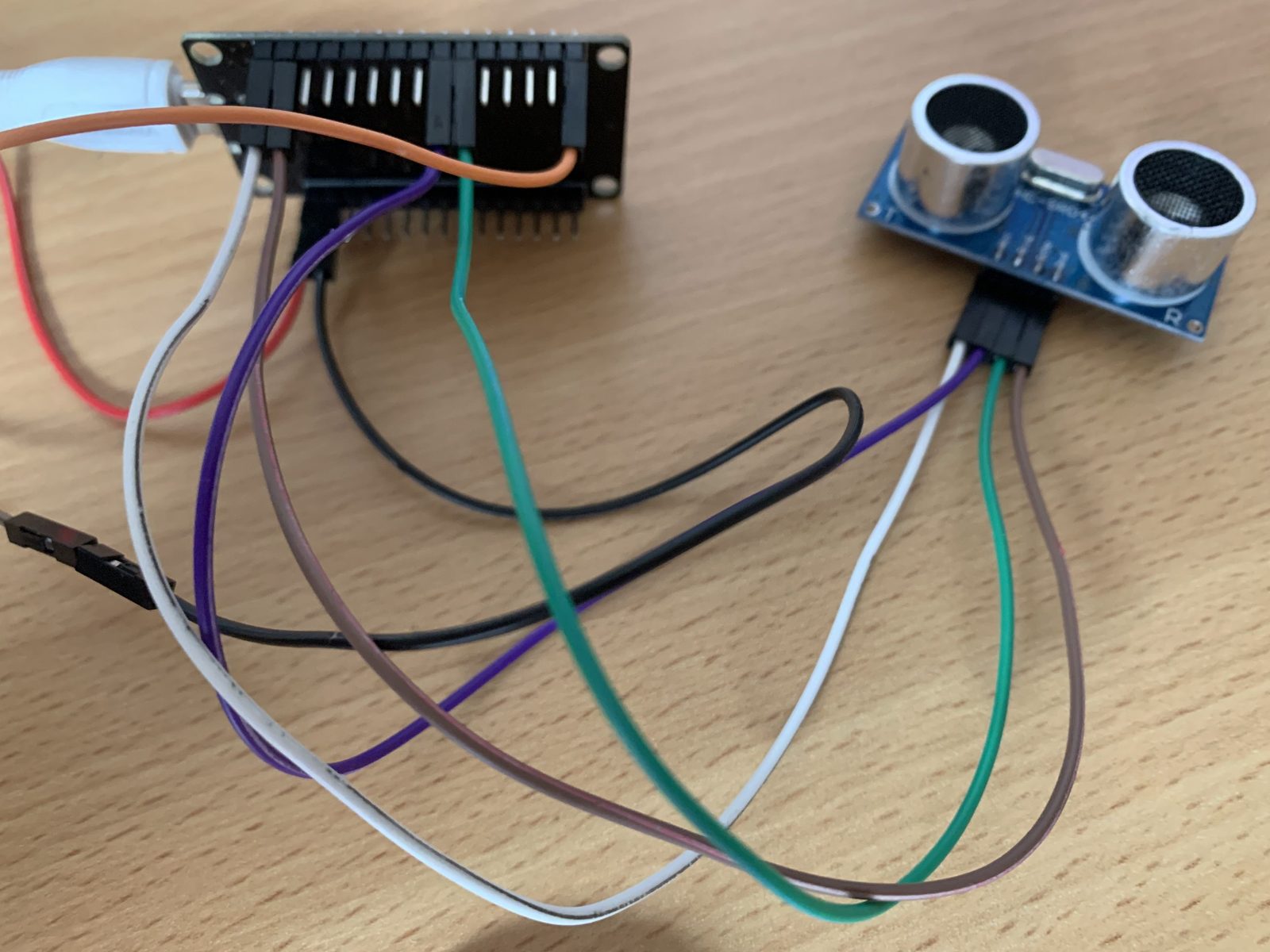
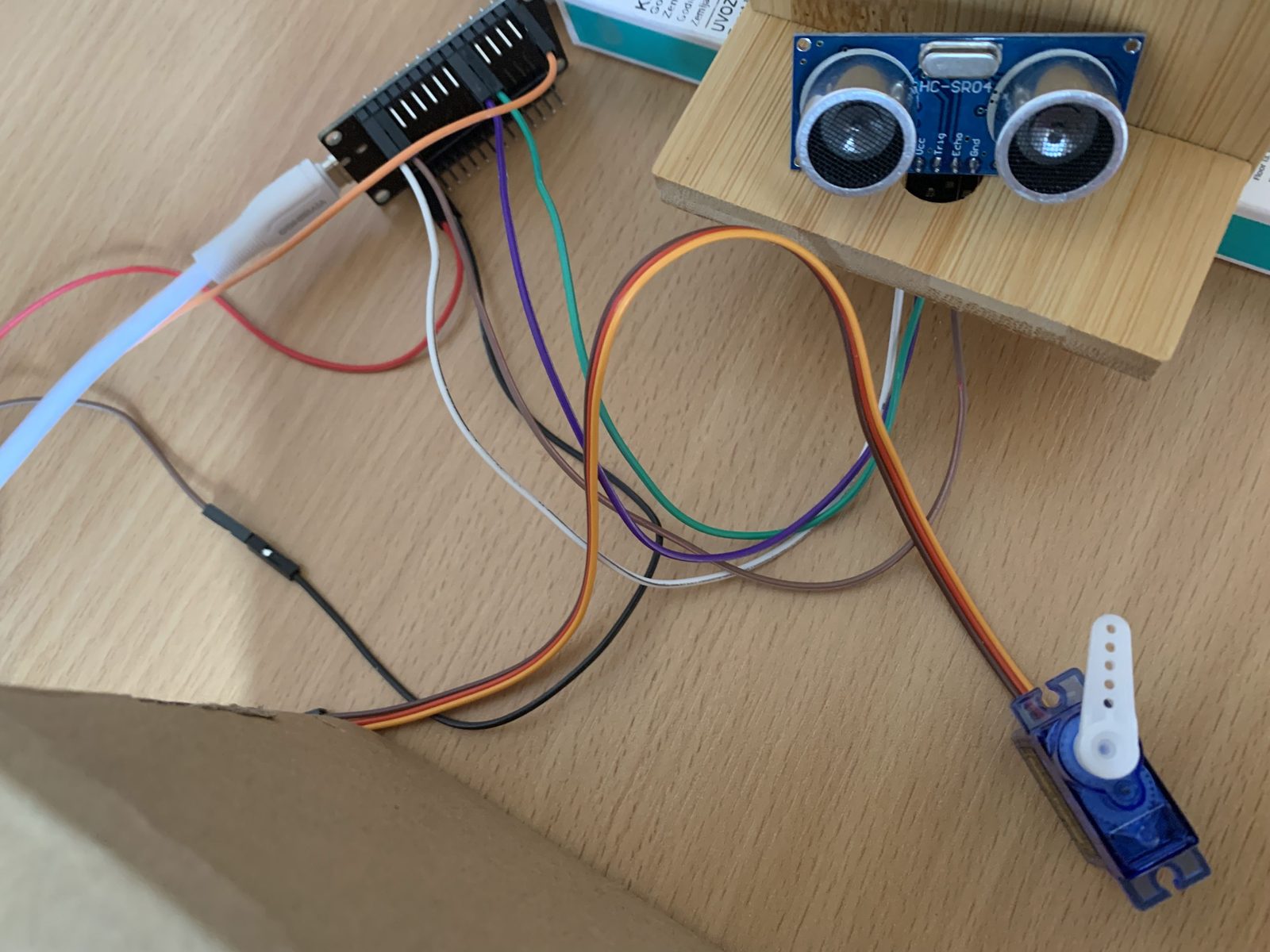
Wiring
| Part | Pin | ESP32 |
|---|---|---|
| HC-SR04 | VCC | VIN (5 V) |
| HC-SR04 | Trig | GPIO5 |
| HC-SR04 | Echo | GPIO18 – through a voltage divider (1 kΩ and 2 kΩ) |
| HC-SR04 | GND | GND |
| SG90 servo | brown | GND |
| SG90 servo | red | VIN (5 V) |
| SG90 servo | orange | GPIO13 |
Program 1: automatic barrier
When an obstacle is closer than 20 cm, the servo turns to 90° (barrier up); when the obstacle moves away, it returns to 0°.
// ESP32 – automatic barrier: the servo turns when an obstacle is closer than the limit
#include <ESP32Servo.h>

const int TRIG_PIN = 5;
const int ECHO_PIN = 18;        // HC-SR04 on 5 V: Echo via a voltage divider!
const int SERVO_PIN = 13;
const float DISTANCE_THRESHOLD = 20.0;   // limit in cm

Servo servo;
long duration_us;
float distance_cm;

void setup() {
  Serial.begin(115200);
  pinMode(TRIG_PIN, OUTPUT);
  pinMode(ECHO_PIN, INPUT);
  servo.setPeriodHertz(50);
  servo.attach(SERVO_PIN, 500, 2400);
  servo.write(0);               // barrier down
}

void loop() {
  // Send a 10 µs pulse to TRIG
  digitalWrite(TRIG_PIN, LOW);
  delayMicroseconds(2);
  digitalWrite(TRIG_PIN, HIGH);
  delayMicroseconds(10);
  digitalWrite(TRIG_PIN, LOW);

  // Measure the echo time (at most 30 ms – about 5 m)
  duration_us = pulseIn(ECHO_PIN, HIGH, 30000);

  // Calculate the distance: sound travels 0.034 cm/µs, there and back
  distance_cm = duration_us * 0.034 / 2;

  Serial.print("Distance: ");
  Serial.print(distance_cm);
  Serial.println(" cm");

  // Control the servo (0 cm means the echo did not return)
  if (distance_cm > 0 && distance_cm < DISTANCE_THRESHOLD) {
    servo.write(90);            // raise the barrier
  } else {
    servo.write(0);             // lower the barrier
  }
  delay(500);
}
pulseIn(ECHO_PIN, HIGH, 30000)waits for the echo for at most 30 ms. If the echo does not arrive (obstacle too far), it returns 0 – that is why the condition also hasdistance_cm > 0.- Sound travels about 0.034 cm in one microsecond. The wave goes to the obstacle and back, so we divide by 2.
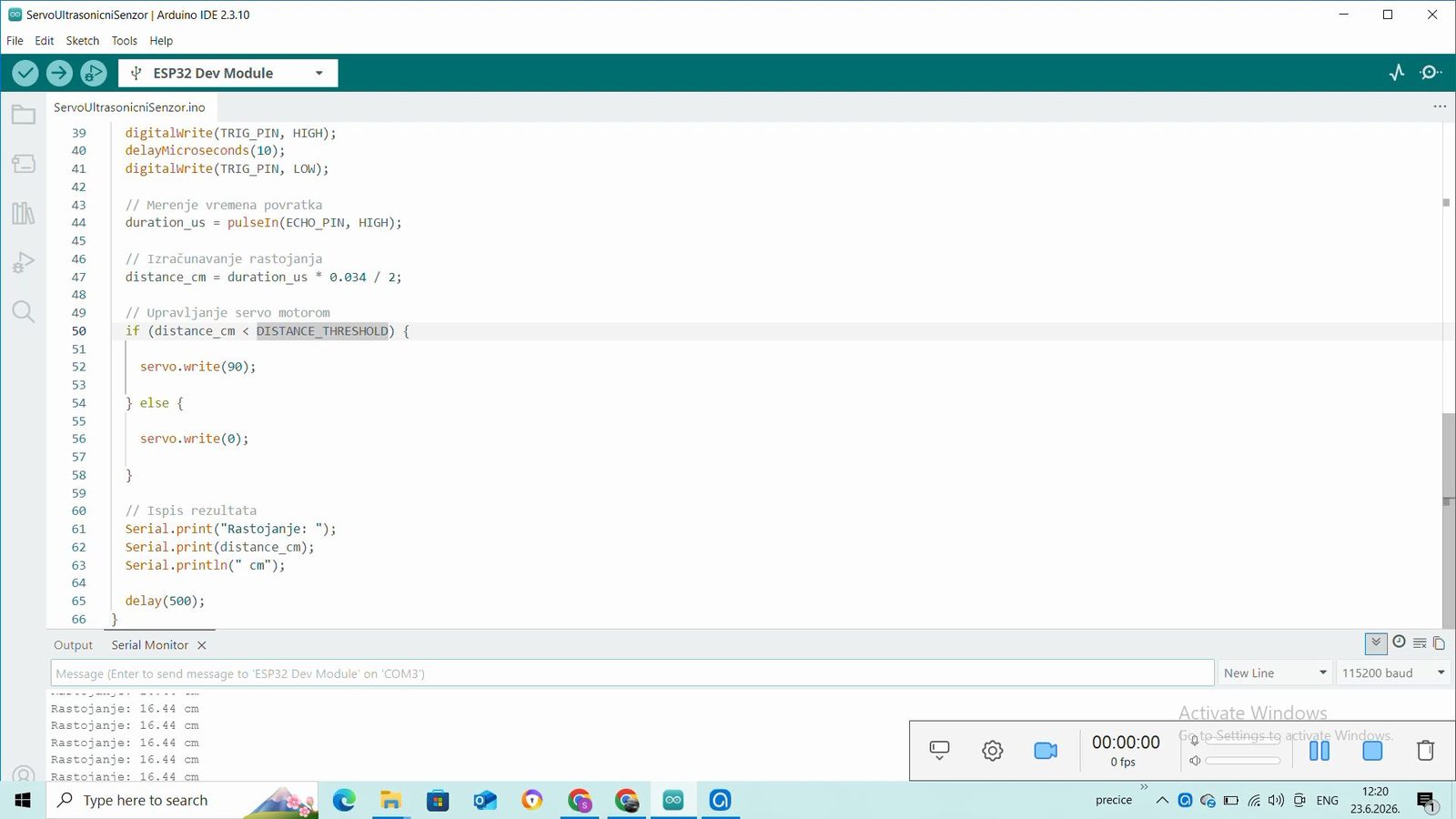
Program 2: the servo "waves" when an obstacle is close
Instead of one position, when it detects an obstacle the servo travels all the way from 0° to 180° and back. The measurement is moved into the function measureDistance(), so loop() is shorter and easier to read.
// ESP32 – when an obstacle is close, the servo "waves" from 0° to 180° and back
#include <ESP32Servo.h>

const int TRIG_PIN = 5;
const int ECHO_PIN = 18;
const int SERVO_PIN = 13;
const float DISTANCE_THRESHOLD = 20.0;

Servo servo;

float measureDistance() {
  digitalWrite(TRIG_PIN, LOW);
  delayMicroseconds(2);
  digitalWrite(TRIG_PIN, HIGH);
  delayMicroseconds(10);
  digitalWrite(TRIG_PIN, LOW);
  long durations = pulseIn(ECHO_PIN, HIGH, 30000);
  return durations * 0.034 / 2;           // in cm (0 if there is no echo)
}

void setup() {
  Serial.begin(115200);
  pinMode(TRIG_PIN, OUTPUT);
  pinMode(ECHO_PIN, INPUT);
  servo.setPeriodHertz(50);
  servo.attach(SERVO_PIN, 500, 2400);
}

void loop() {
  float distance_cm = measureDistance();
  Serial.print("Distance: ");
  Serial.print(distance_cm);
  Serial.println(" cm");

  if (distance_cm > 0 && distance_cm < DISTANCE_THRESHOLD) {
    // Sweep 0 -> 180
    for (int pos = 0; pos <= 180; pos++) {
      servo.write(pos);
      delay(10);
    }
    // Sweep 180 -> 0
    for (int pos = 180; pos >= 0; pos--) {
      servo.write(pos);
      delay(10);
    }
  }
  delay(100);
}
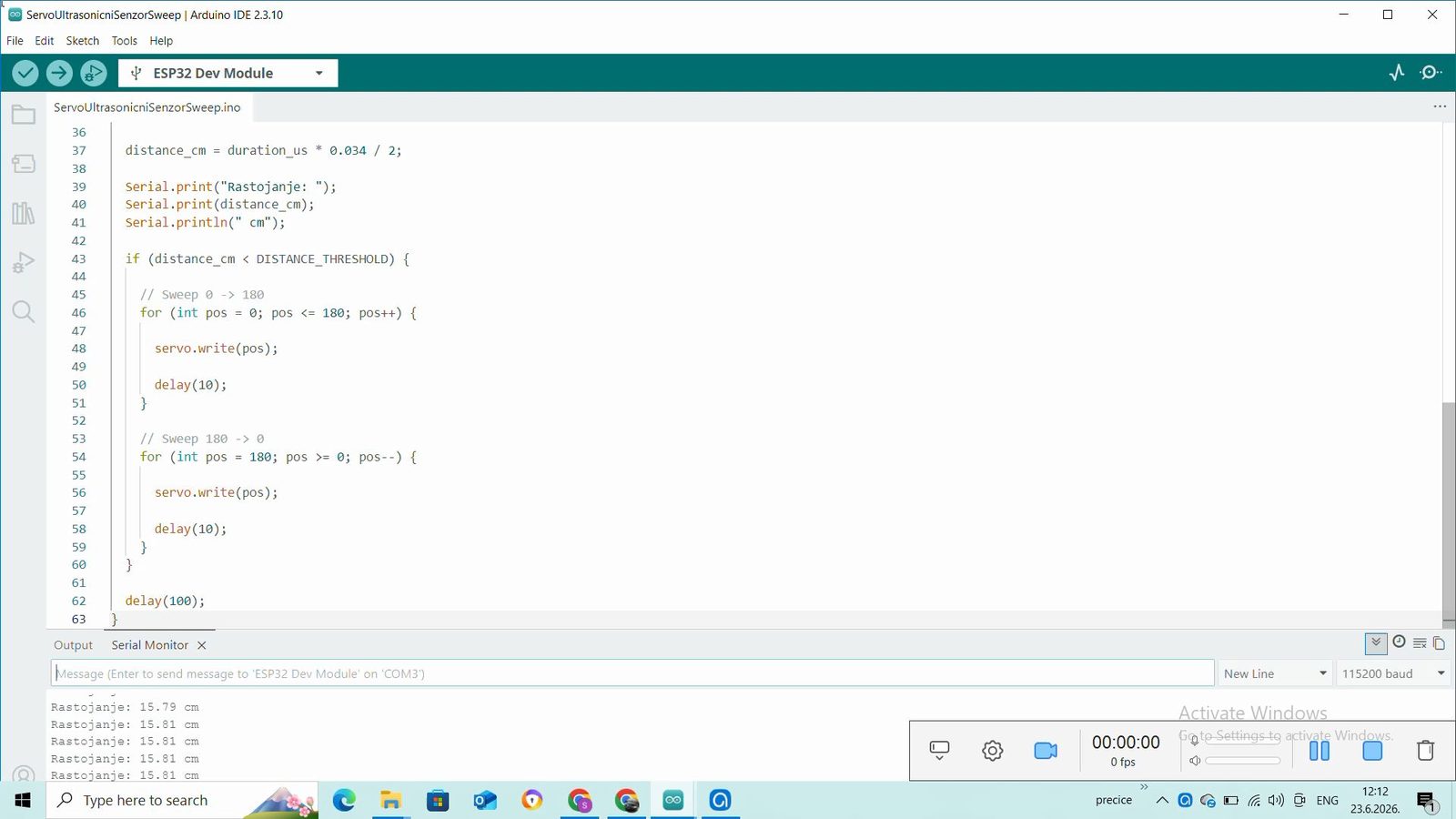
Program 3: radar
For the radar, attach the sensor to the servo arm (with tape or a holder). The servo turns degree by degree and the distance is measured at each angle. The ESP32 sends lines like angle,distance, e.g. 90,34.
// ESP32 – radar: the sensor on the servo scans from 15° to 165°
// Sends "angle,distance" for each angle (Processing / Serial Plotter)
#include <ESP32Servo.h>

const int TRIG_PIN = 5;
const int ECHO_PIN = 18;
const int SERVO_PIN = 13;

Servo servo;

int measureCm() {
  digitalWrite(TRIG_PIN, LOW);
  delayMicroseconds(2);
  digitalWrite(TRIG_PIN, HIGH);
  delayMicroseconds(10);
  digitalWrite(TRIG_PIN, LOW);
  long durations = pulseIn(ECHO_PIN, HIGH, 30000);
  return (int)(durations * 0.034 / 2);
}

void scan(int angle) {
  servo.write(angle);
  delay(30);                    // the servo must arrive before measuring
  int cm = measureCm();
  Serial.print(angle);
  Serial.print(",");
  Serial.println(cm);
}

void setup() {
  Serial.begin(115200);
  pinMode(TRIG_PIN, OUTPUT);
  pinMode(ECHO_PIN, INPUT);
  servo.setPeriodHertz(50);
  servo.attach(SERVO_PIN, 500, 2400);
}

void loop() {
  for (int u = 15; u <= 165; u++) {
    scan(u);
  }
  for (int u = 165; u >= 15; u--) {
    scan(u);
  }
}
The Serial Plotter (Tools → Serial Plotter) already shows the distance curve. A nicer display is made in Processing: the program draws a half circle like a radar screen and the obstacles as red dots.
// Processing – radar display ("angle,distance" data from the ESP32)
import processing.serial.*;

Serial port;
float[] distances = new float[181];   // last distance for each angle
int angle = 0;
final float MAX_CM = 100;              // display range

void setup() {
  size(800, 450);
  println(Serial.list());              // list of ports – choose the right index
  port = new Serial(this, Serial.list()[0], 115200);
  port.bufferUntil('\n');
}

void draw() {
  background(0, 30, 0);
  translate(width / 2, height - 20);
  stroke(0, 160, 0);
  noFill();
  for (int r = 1; r <= 4; r++) {       // circles at 25, 50, 75 and 100 cm
    arc(0, 0, r * 190, r * 190, PI, TWO_PI);
  }
  // obstacle points
  noStroke();
  fill(255, 60, 60);
  for (int a = 0; a <= 180; a++) {
    float cm = distances[a];
    if (cm > 0 && cm < MAX_CM) {
      float r = map(cm, 0, MAX_CM, 0, 380);
      ellipse(r * cos(radians(a)), -r * sin(radians(a)), 6, 6);
    }
  }
  // beam showing the current angle
  stroke(0, 255, 0);
  line(0, 0, 380 * cos(radians(angle)), -380 * sin(radians(angle)));
}

void serialEvent(Serial p) {
  String red = trim(p.readStringUntil('\n'));
  if (red == null) return;
  String[] parts = split(red, ',');
  if (parts.length == 2) {
    int a = int(parts[0]);
    float cm = float(parts[1]);
    if (a >= 0 && a <= 180) {
      angle = a;
      distances[a] = cm;
    }
  }
}
- Close the Serial Monitor in the Arduino IDE before running it – only one program can use the port.
- If Processing does not receive data, look at the list of ports printed by
println(Serial.list())and change the index inSerial.list()[0]. - The angle is turned into a point using
cosandsin– the same as in the Processing lessons about circular motion.
Practice tasks
- Add an LED that lights red while the barrier is up.
- Keep the barrier up for 3 more seconds after the obstacle leaves (use
millis()). - After one radar sweep, print the direction of the nearest obstacle and turn the sensor towards it.
- In the Processing program, print the distance to the nearest point and its angle.
Solution: nearest obstacle after one sweep
// Task – after one sweep, print the direction of the nearest obstacle
#include <ESP32Servo.h>

const int TRIG_PIN = 5;
const int ECHO_PIN = 18;
const int SERVO_PIN = 13;

Servo servo;

int measureCm() {
  digitalWrite(TRIG_PIN, LOW);
  delayMicroseconds(2);
  digitalWrite(TRIG_PIN, HIGH);
  delayMicroseconds(10);
  digitalWrite(TRIG_PIN, LOW);
  long durations = pulseIn(ECHO_PIN, HIGH, 30000);
  return (int)(durations * 0.034 / 2);
}

void setup() {
  Serial.begin(115200);
  pinMode(TRIG_PIN, OUTPUT);
  pinMode(ECHO_PIN, INPUT);
  servo.setPeriodHertz(50);
  servo.attach(SERVO_PIN, 500, 2400);
}

void loop() {
  int smallest = 10000;         // larger than any real distance
  int bestAngle = -1;
  for (int u = 0; u <= 180; u += 5) {
    servo.write(u);
    delay(80);
    int cm = measureCm();
    if (cm > 0 && cm < smallest) {   // 0 = no echo, skip it
      smallest = cm;
      bestAngle = u;
    }
  }
  if (bestAngle >= 0) {
    Serial.print("Nearest obstacle: ");
    Serial.print(smallest);
    Serial.print(" cm, angle ");
    Serial.println(bestAngle);
    servo.write(bestAngle);  // the sensor "looks" at the obstacle
  } else {
    Serial.println("No obstacles in range.");
  }
  delay(3000);
}
Check your knowledge
Open the quiz
Quiz: barrier and radar
1. Why is the Echo pin of an HC-SR04 (powered from 5 V) connected through a voltage divider?
2. What does pulseIn(ECHO_PIN, HIGH, 30000) return if the echo does not arrive?
3. Why is the sound travel time divided by 2?
4. What does the ESP32 send in the radar program?