
Mini projects: a simple calculator and exercises
Welcome to the mini projects at the end of your first week of learning Python! Here you will use everything you have learned: print(), comments, arithmetic operations and your first programs with data input. These projects are simple, motivating and excellent for moving on to more complex topics.
1. A simple calculator (version 1 — without input)
To start, let us make the simplest version of a calculator, where the numbers are already given.
# A simple calculator - version 1

a = 8
b = 3

print("Sum:", a + b)
print("Difference:", a - b)
print("Product:", a * b)
print("Quotient:", a / b)
print("Floor division:", a // b)
print("Remainder:", a % b)
print("a to the power of b:", a ** b)
2. A calculator with input()
Now we make a real small interactive calculator. The user enters numbers, and the program shows all the basic results.
# A calculator with input()

print("=== A Small Python Calculator ===")

a = float(input("Enter the first number: "))
b = float(input("Enter the second number: "))

print("\nResults:")
print("Sum:", a + b)
print("Difference:", a - b)
print("Product:", a * b)
print("Quotient:", a / b)
print("Floor division:", a // b)
print("Remainder:", a % b)
print("Power:", a ** b)
The program run in Thonny (the user enters 45 and 32):
=== A Small Python Calculator ===
Enter the first number: 45
Enter the second number: 32

Results:
Sum: 77.0
Difference: 13.0
Product: 1440.0
Quotient: 1.40625
Floor division: 1.0
Remainder: 13.0
Power: 7.994668139825837e+52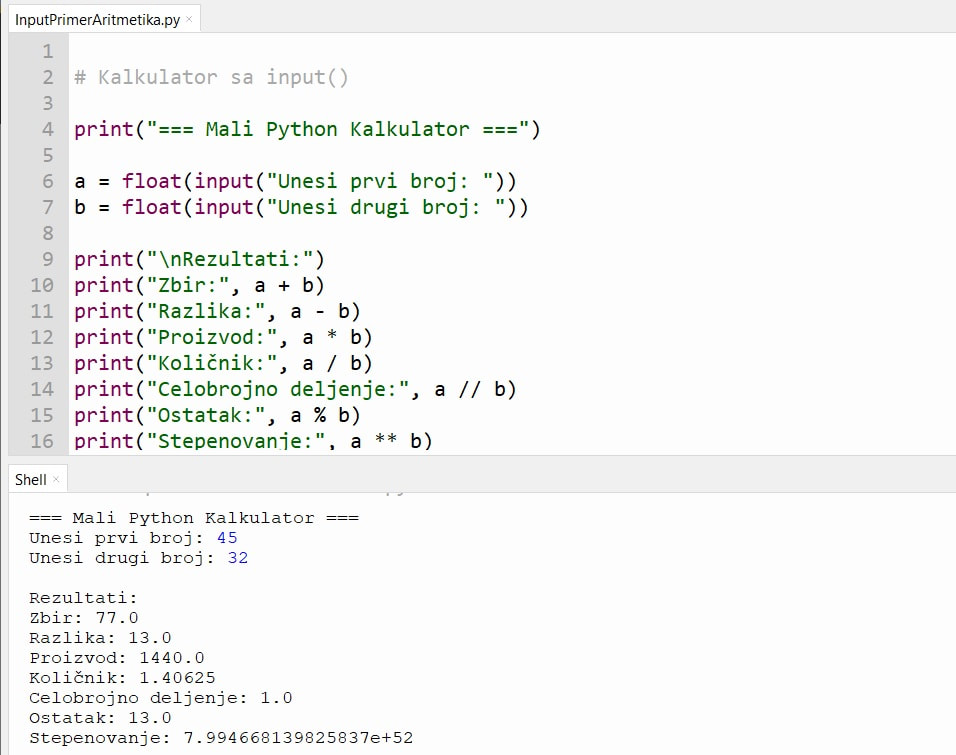
Using the operators % and // to separate the digits of a number
In Python we often use the operators % (the remainder of division) and // (floor division) when we want to separate the digits of a number.
This is important for many tasks such as: separating the units, tens and hundreds, the sum of the digits, checking whether a number is a palindrome and many others.
How does the % (modulo) operator work?
The operator % returns only the remainder of a division.
For example:
print(75 % 10) # 5 → the last digit (units)
When we divide a number by 10, the remainder is always the last digit.
How does the // (floor division) operator work?
The operator // divides a number and rounds the result DOWN, that is, it removes the decimal part.
For example:
print(75 // 10) # 7 → removes the last digit
When we divide a number by 10 using //, we remove the last digit (the units), so only the tens digit is left.
Example: separating the units and tens of the number 75
number = 75

units = number % 10
tens = number // 10

print("Tens:", tens)
print("Units:", units)
Result:
Tens: 7
Units: 5
You can use this technique for bigger numbers too — you just keep dividing by 10 (for the tens), 100 (for the hundreds), 1000 (for the thousands), and so on.
Recommendation: practice tasks
To practise using the operators and separating the digits of a given number, I recommend the first three tasks from the page:
- Separate the digits of a two-digit number
- The sum of the digits of a number
- Swap the digits of a two-digit number
These tasks are ideal for mastering the % and // operators.
3. Combined exercises
Here are a few short mini tasks that students can do on their own.
Task 1 — The sum of two numbers
a = int(input("Enter the first number: "))
b = int(input("Enter the second number: "))

print("The sum is:", a + b)
Task 2 — The difference
x = int(input("Number 1: "))
y = int(input("Number 2: "))

print("The difference is:", x - y)
Task 3 — An overview of all the operations
a = 10
b = 4

print("Sum:", a + b)
print("Difference:", a - b)
print("Product:", a * b)
print("Quotient:", a / b)
print("Remainder:", a % b)
print("Floor division:", a // b)
Task 4 — A name + surname program (formatted)
name = input("What is your name? ")
surname = input("Enter your surname: ")

print("Welcome,", name, surname + "!")
Task 5 — Calculating your age
A motivating example — younger students love it.
from datetime import date

birth_year = int(input("Enter your year of birth: "))

current = date.today().year   # the current year

age = current - birth_year

print("You are", age, "years old.")
Mini challenge (optional)
Make a program that asks for two numbers and prints:
- the sum
- the difference
- the product
- the average
- which number is bigger
Hidden mini quiz
Click to check your knowledge!
Open the quiz
Mini quiz: Check your knowledge (calculator & exercises)
1. Which Python function lets the user enter data from the keyboard?
2. What does the following code do?
print(3 + 7)3. How do you correctly join a name and a surname in Python?
4. Which option is a calculator with user input?
5. If birth_year = 2010, what does the following code do?
print(2025 - birth_year)